ما هي رموز الأمان ولماذا يجب ألا تشاركها أبداً

5
دقيقة للقراءة
5
دقيقة للقراءة

تساعد رموز الأمان في التأكد من أن الإجراءات المهمة — مثل تسجيل الدخول، أو تغيير كلمة المرور، أو إعداد المصادقة الثنائية (2FA) — تتم من قبلك أنت شخصياً. ونظراً لأن هذه الرموز تساعد في حماية الوصول إلى حسابك على Deriv، فيجب أن تظل سرية دائماً. يشرح هذا الدليل ماهية رموز الأمان، وسبب الحاجة إليها، وكيفية التعامل معها بأمان.

ملخص سريع

  • تضيف رموز الأمان خطوة تحقق إضافية قبل إتمام الإجراءات الحساسة في الحساب.
  • يمكن أن تشمل هذه الرموز كلمات المرور لمرة واحدة، ورموز تطبيقات المصادقة، ورموز إعادة تعيين كلمة المرور، ورموز الاسترداد.
  • أدخل الرمز بنفسك فقط عبر موقع أو تطبيق Deriv الرسمي أثناء خطوة متوقعة.
  • لا تقم أبداً بإرسال رمز أمان، أو قراءته بصوت عالٍ، أو إعادة توجيهه، أو التقاط صورة له، أو نشره.
  • إذا شاركت رمزاً عن طريق الخطأ، فقم بتأمين حسابك فوراً عبر قنوات Deriv الرسمية.

ما هي رموز الأمان؟

رمز الأمان هو بيانات اعتماد تُستخدم للمساعدة في التأكد من أن عملية تسجيل الدخول أو إجراء الحساب مصرح به من قبلك. وعلى عكس كلمة المرور، فإن العديد من رموز الأمان تكون مؤقتة: فقد تنتهي صلاحيتها بعد فترة قصيرة أو تعمل لمرة واحدة فقط.

قد يطلب منك إدخال رمز أمان عند:

  • تسجيل الدخول من جهاز أو متصفح جديد
  • تفعيل أو استخدام المصادقة الثنائية (2FA)
  • تغيير أو إعادة تعيين كلمة المرور
  • تأكيد إجراء أمني حساس في الحساب
  • استعادة الوصول إلى الحساب

تعتبر رموز الأمان مفيدة لأنها تضيف طبقة أخرى من التحقق. حتى لو اكتشف شخص ما كلمة المرور، فقد لا يتمكن من إكمال إجراء محمي بدون الرمز الإضافي.

أنواع رموز الأمان الشائعة

كلمات المرور لمرة واحدة (OTPs) هي رموز مؤقتة تُرسل إلى عنوان البريد الإلكتروني أو رقم الهاتف المسجلين. وهي تساعد في التحقق من إمكانية وصولك إلى وسيلة الاتصال المرتبطة بالحساب.

رموز تطبيقات المصادقة هي رموز قصيرة ومحددة بوقت يتم إنشاؤها عبر تطبيق المصادقة. تُستخدم عادةً للمصادقة الثنائية (2FA) وتتغير بانتظام.

رموز إعادة تعيين كلمة المرور تساعد في تأكيد أن طلب إعادة تعيين كلمة المرور مصرّح به. وتُعد بالغة الحساسية لأنها قد تكون جزءًا من عملية إنشاء كلمة مرور جديدة.

رموز الاسترداد أو النسخ الاحتياطي هي رموز طوارئ يتم إنشاؤها عند إعداد المصادقة الثنائية (2FA). يمكنها المساعدة في استعادة الوصول لحسابك إذا فقدت جهاز المصادقة، لذا يجب تخزينها بأمان والتعامل معها تمامًا مثل كلمات المرور.
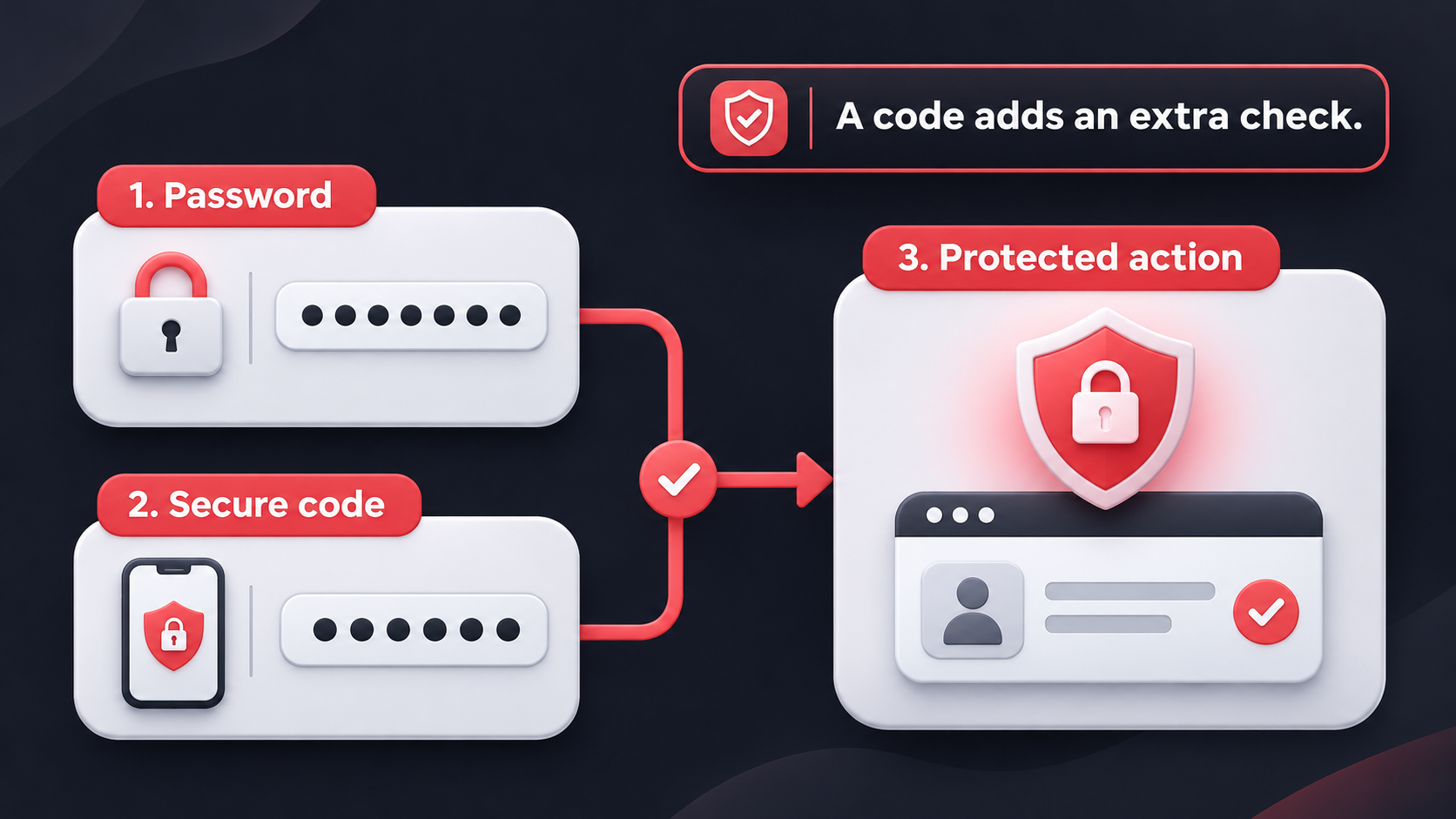
Secure codes help confirm that an important action—such as signing in, changing a password or setting up two-factor authentication (2FA)—is being completed by you. Because these codes can help protect access to your Deriv account, they should always remain private. This guide explains what secure codes are, why they are needed and how to handle them safely. Quick summary Secure codes add an extra check before sensitive account actions can be completed. They can include one-time passwords, authenticator-app codes, password-reset codes and recovery codes. Enter a code yourself only in the official Deriv website or app during an expected step. Never send, read aloud, forward, screenshot or post a secure code. If you accidentally share a code, secure your account promptly through official Deriv channels. What are secure codes? A secure code is a credential used to help confirm that a login or account action is authorised by you. Unlike a password, many secure codes are temporary: they may expire after a short period or work only once. You may encounter a secure code when you: Sign in from a new device or browser Turn on or use 2FA Change or reset a password Confirm a sensitive account-security action Recover access to an account Secure codes are useful because they add another layer of verification. Even if someone discovers a password, they may be unable to complete a protected action without the additional code. Common types of secure codes One-time passwords (OTPs) are temporary codes sent to a registered email address or phone number. They help verify that you can access the contact method linked to the account. Authenticator-app codes are short, time-limited codes generated in an authenticator app. They are commonly used for 2FA and change regularly. Password-reset codes help confirm that a request to reset a password is authorised. They are especially sensitive because they can be part of a process to create a new password. Recovery or backup codes are emergency codes created when setting up 2FA. They may help restore access if you lose an authenticator device, so they must be stored securely and treated like passwords.   Alt text: Diagram shows a password and a secure code as separate requirements before a protected account action can proceed. Why secure codes are needed Passwords can be guessed, reused or exposed through a data breach or phishing attempt. A secure code helps reduce the risk that a password alone can be used to access an account or make a sensitive change. For example, when you change a Deriv password from your profile, Deriv may send a one-time password to your registered email to help verify the request. You enter that OTP yourself as part of the official process, then set the new password.  This extra step is not a guarantee against every risk, but it creates an important barrier. It confirms that the person making the request has access to the required verification method at that moment. Codes are for you to enter, not to give away A secure code is not a piece of information to share with another person. It is an instruction for you to complete a specific security step yourself. Keep this distinction in mind: Safe action Unsafe action Entering a code yourself in the official Deriv website or app Sending a code in a chat, email or social-media message Using a code during a step you started Giving a code to someone who contacted you unexpectedly Storing recovery codes in a protected location Saving recovery codes in an unprotected note or screenshot Opening Deriv directly before entering a code Following an unverified link to enter a code   When it is safe to enter a code Enter a secure code only when all of these conditions apply: You started the action yourself. You are using the official Deriv website or app. You expected the verification step. The code is being entered into the relevant secure field—not sent to a person. For example, if you select Password in your Deriv profile and request a password change, an OTP sent to your registered email can be part of that expected process. The code should be entered only in the official password-change flow. If the action is unexpected, pause before entering anything. Open Deriv directly through your usual route and check your account settings instead of relying on a link in a message. Keep codes out of screenshots A screenshot can contain more information than it first appears to. It may show an OTP, account email, device notification, transaction reference, browser address or other personal details. Before sharing a screenshot for support purposes, review every visible element. Never include a password, secure code, QR code, recovery code or authenticator-app screen. When possible, crop or redact any personal, payment or account details that are not needed.  Alt text: Three cards show starting an account action, opening Deriv directly, and privately entering a secure code in the official platform. How to store recovery codes safely Recovery codes are different from ordinary one-time codes because they may remain valid until used or replaced. They are designed for emergencies, such as losing access to an authenticator app. Store them somewhere you can access when needed, but where other people cannot. A reputable password manager can be a suitable option when it is protected by a strong master password and 2FA. A protected offline copy may also be appropriate. Do not: Keep recovery codes in an email draft or unprotected cloud document Store them in a public or shared photo album Send them to yourself through chat Share them with a friend, family member or anyone claiming to help Include them in a support screenshot If you generate new recovery codes, securely remove any outdated copies so you do not rely on codes that no longer work. What to do if you shared a code A shared code may no longer be safe to use, even if it has not yet expired. Act promptly, but use only official routes. Open Deriv directly through the official website or app. Change your Deriv password to a new, unique password. Review your 2FA settings and recovery methods. Secure the email account linked to Deriv, particularly if it may receive password-reset instructions. Contact Deriv through official support if you think someone may have accessed your account.  Alt text: Three cards advise keeping codes private, storing recovery codes securely, and protecting an account promptly if a code is shared. Build a secure-code routine A few simple habits make secure-code requests easier to handle: Start account actions only from the official Deriv website or app. Use 2FA on your Deriv account and on the email account linked to it. Read verification messages carefully before acting. Keep recovery codes in a protected location before you need them. Never approve or enter a code for an action you did not start. Treat any request to share a code as a reason to stop and verify independently. Take the next step Review where you store your recovery codes and make sure 2FA is enabled on your Deriv account and the email linked to it. If you receive a code for an action you did not start, do not enter or share it—open Deriv directly and review your security settings.

‍أهمية الرموز الآمنة وضرورتها

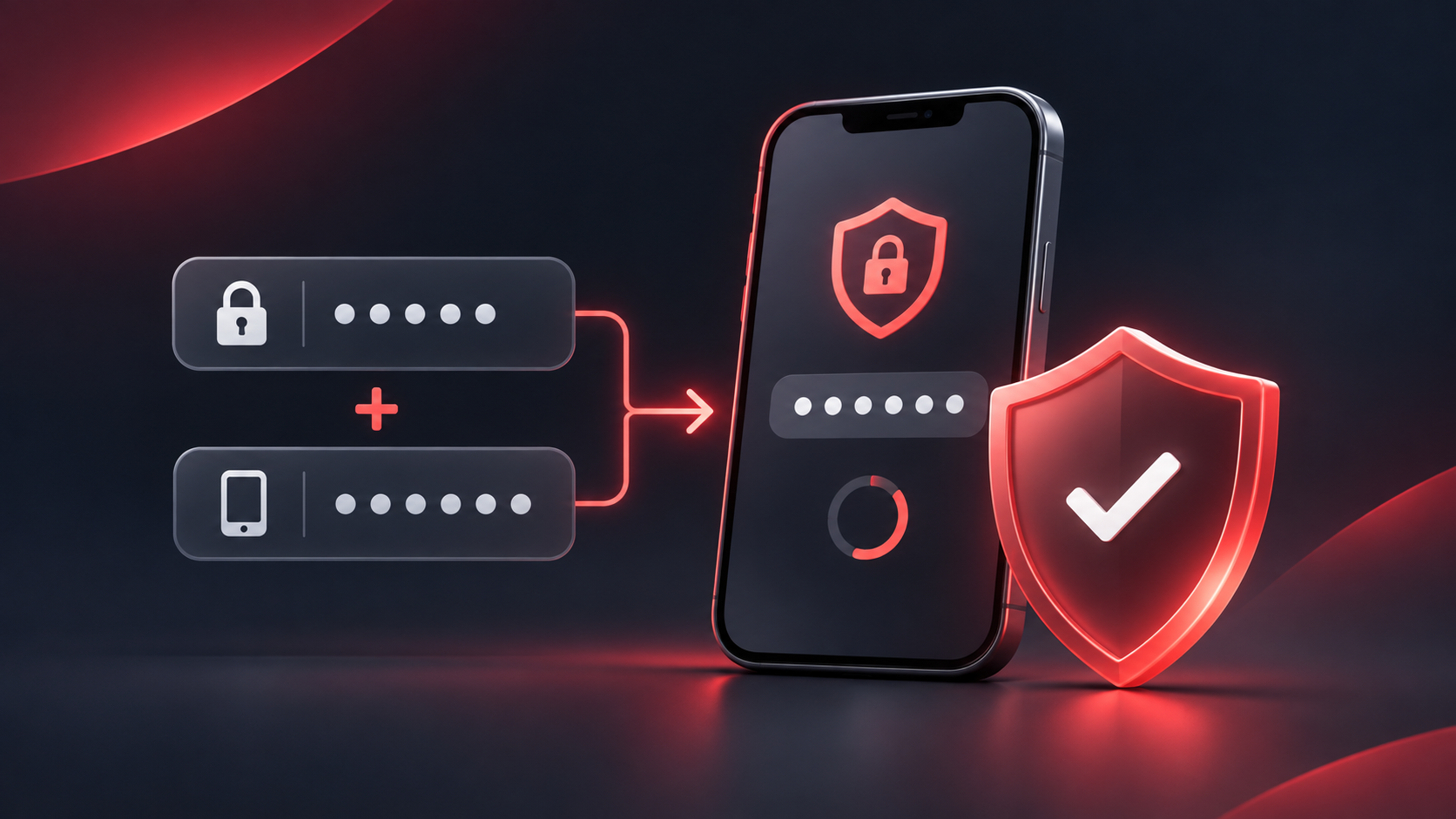
يمكن تخمين كلمات المرور، أو إعادة استخدامها، أو كشفها من خلال اختراق البيانات أو محاولات التصيد الاحتيالي. تساعد رموز الأمان في تقليل مخاطر استخدام كلمة المرور وحدها للوصول إلى الحساب أو إجراء تغييرات حساسة.

على سبيل المثال، عند تغيير كلمة مرور Deriv من ملفك الشخصي، قد ترسل Deriv كلمة مرور لمرة واحدة إلى بريدك الإلكتروني المسجل للمساعدة في التحقق من الطلب. أنت تقوم بإدخال هذا الرمز بنفسك كجزء من العملية الرسمية، ثم تقوم بتعيين كلمة المرور الجديدة.

هذه الخطوة الإضافية ليست ضماناً ضد كل المخاطر، لكنها تشكل حاجزاً مهماً. فهي تؤكد أن الشخص الذي يقوم بالطلب لديه حق الوصول إلى وسيلة التحقق المطلوبة في تلك اللحظة.

الرموز مخصصة لإدخالها من قبلك، وليس لمشاركتها مع الآخرين

رمز الأمان ليس معلومة لمشاركتها مع شخص آخر. إنه تعليمات لك لإكمال خطوة أمنية محددة بنفسك.

ضع هذا التمييز في اعتبارك:

Safe action Unsafe action
Entering a code yourself in the official Deriv website or app Sending a code in a chat, email or social-media message
Using a code during a step you started Giving a code to someone who contacted you unexpectedly
Storing recovery codes in a protected location Saving recovery codes in an unprotected note or screenshot
Opening Deriv directly before entering a code Following an unverified link to enter a code

‍

متى يكون إدخال الرمز آمناً

أدخل رمز الأمان فقط عندما تنطبق جميع هذه الشروط:

  1. لقد بدأت الإجراء بنفسك.
  2. أنت تستخدم موقع أو تطبيق Deriv الرسمي.
  3. كنت تتوقع خطوة التحقق هذه.
  4. يتم إدخال الرمز في الحقل الآمن المخصص له، وليس إرساله إلى شخص ما.

على سبيل المثال، إذا اخترت كلمة المرور في ملفك الشخصي على Deriv وطلبت تغييرها، فإن رمز OTP المُرسل إلى بريدك الإلكتروني المسجل سيكون جزءًا متوقعًا من هذه العملية. ويجب إدخال الرمز فقط ضمن الخطوات الرسمية لتغيير كلمة المرور.

إذا كان الإجراء غير متوقع، توقف قبل إدخال أي بيانات. افتح Deriv مباشرة عبر مسارك المعتاد وتحقق من إعدادات حسابك بدلاً من الاعتماد على رابط في رسالة.

احمِ رموزك من لقطات الشاشة

قد تحتوي لقطة الشاشة على معلومات أكثر مما يبدو للوهلة الأولى. فقد تظهر فيها كلمة مرور لمرة واحدة (OTP)، أو البريد الإلكتروني للحساب، أو إشعارات الجهاز، أو مرجع المعاملة، أو عنوان المتصفح، أو تفاصيل شخصية أخرى.

قبل مشاركة لقطة شاشة لأغراض الدعم، راجع كل عنصر ظاهر فيها. لا تقم أبداً بتضمين كلمة مرور، أو رمز أمان، أو رمز QR، أو رمز استرداد، أو شاشة تطبيق المصادقة. كلما أمكن، قم بقص أو حجب أي تفاصيل شخصية أو متعلقة بالدفع أو الحساب لا حاجة لها.
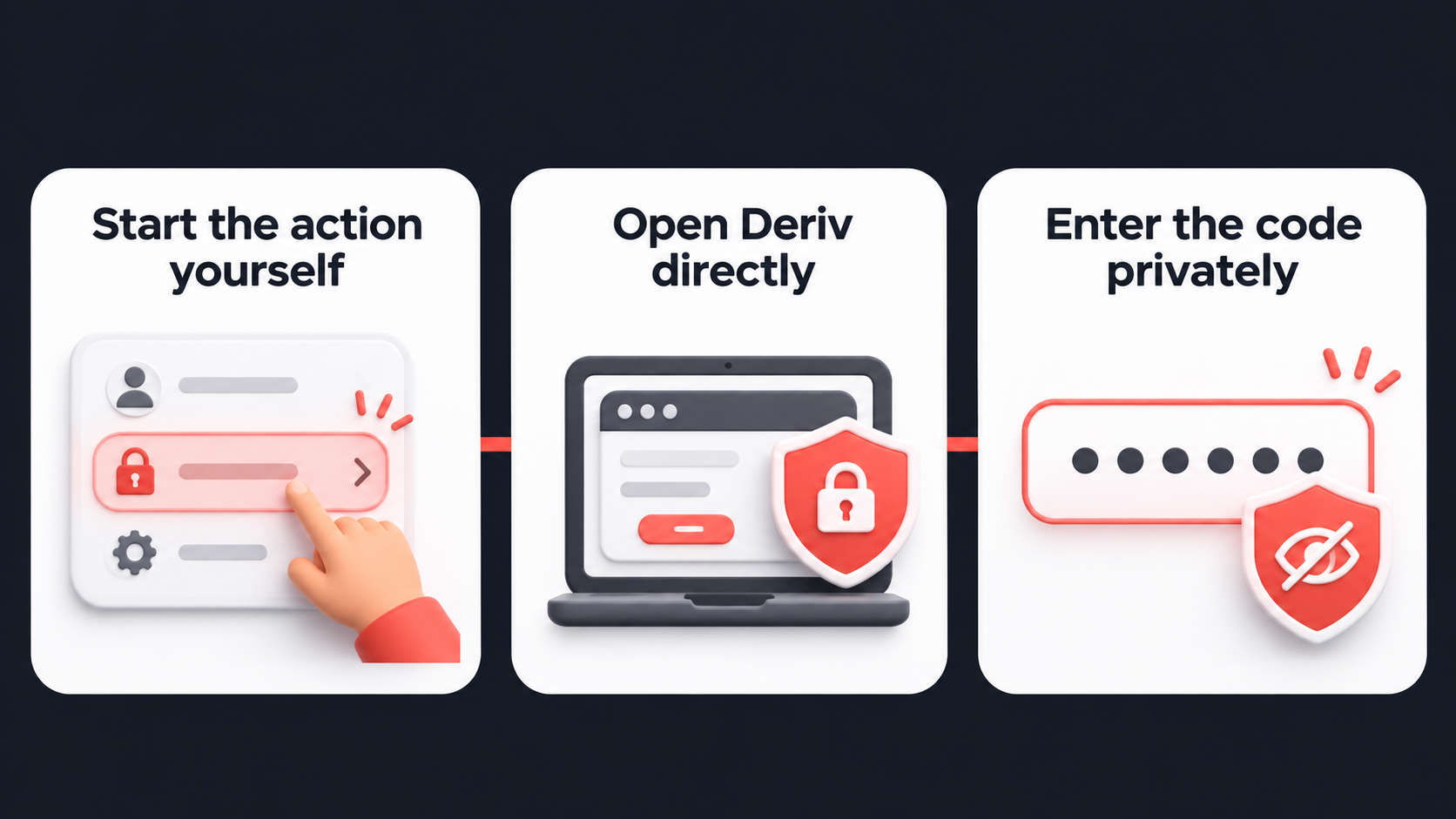
Three cards show starting an account action, opening Deriv directly, and privately entering a secure code in the official platform.

كيفية تخزين رموز الاسترداد بأمان

تختلف رموز الاسترداد عن الرموز العادية التي تُستخدم لمرة واحدة لأنها قد تظل صالحة حتى يتم استخدامها أو استبدالها. وهي مصممة لحالات الطوارئ، مثل فقدان الوصول إلى تطبيق المصادقة.

خزّنها في مكان يمكنك الوصول إليه عند الحاجة، ولكن لا يمكن للآخرين الوصول إليه. يمكن أن يكون مدير كلمات المرور الموثوق خياراً مناسباً عند حمايته بكلمة مرور رئيسية قوية ومصادقة ثنائية (2FA). كما قد تكون النسخة الورقية المحمية خياراً مناسباً أيضاً.

لا تقم بما يلي:

  • حفظ رموز الاسترداد في مسودة بريد إلكتروني أو مستند سحابي غير محمي
  • تخزينها في ألبوم صور عام أو مشترك
  • إرسالها إلى نفسك عبر الدردشة
  • مشاركتها مع صديق أو فرد من العائلة أو أي شخص يدعي أنه يقدم المساعدة
  • تضمينها في لقطة شاشة للدعم

إذا قمت بإنشاء رموز استرداد جديدة، فاحذف بأمان أي نسخ قديمة حتى لا تعتمد على رموز لم تعد تعمل.

ماذا تفعل إذا شاركت رمزاً

قد لا يكون الرمز الذي تمت مشاركته آمناً للاستخدام، حتى وإن لم تنتهِ صلاحيته بعد. تصرف بسرعة، ولكن استخدم القنوات الرسمية فقط.

  1. افتح Deriv مباشرة عبر الموقع الإلكتروني أو التطبيق الرسمي.
  2. غيّر كلمة مرور Deriv الخاصة بك إلى كلمة مرور جديدة وفريدة.
  3. راجع إعدادات المصادقة الثنائية (2FA) وطرق الاسترداد الخاصة بك.
  4. أمّن حساب البريد الإلكتروني المرتبط بـ Deriv، خاصة إذا كان قد يتلقى تعليمات إعادة تعيين كلمة المرور.
  5. تواصل مع دعم Deriv عبر القنوات الرسمية إذا كنت تعتقد أن شخصاً ما قد وصل إلى حسابك.
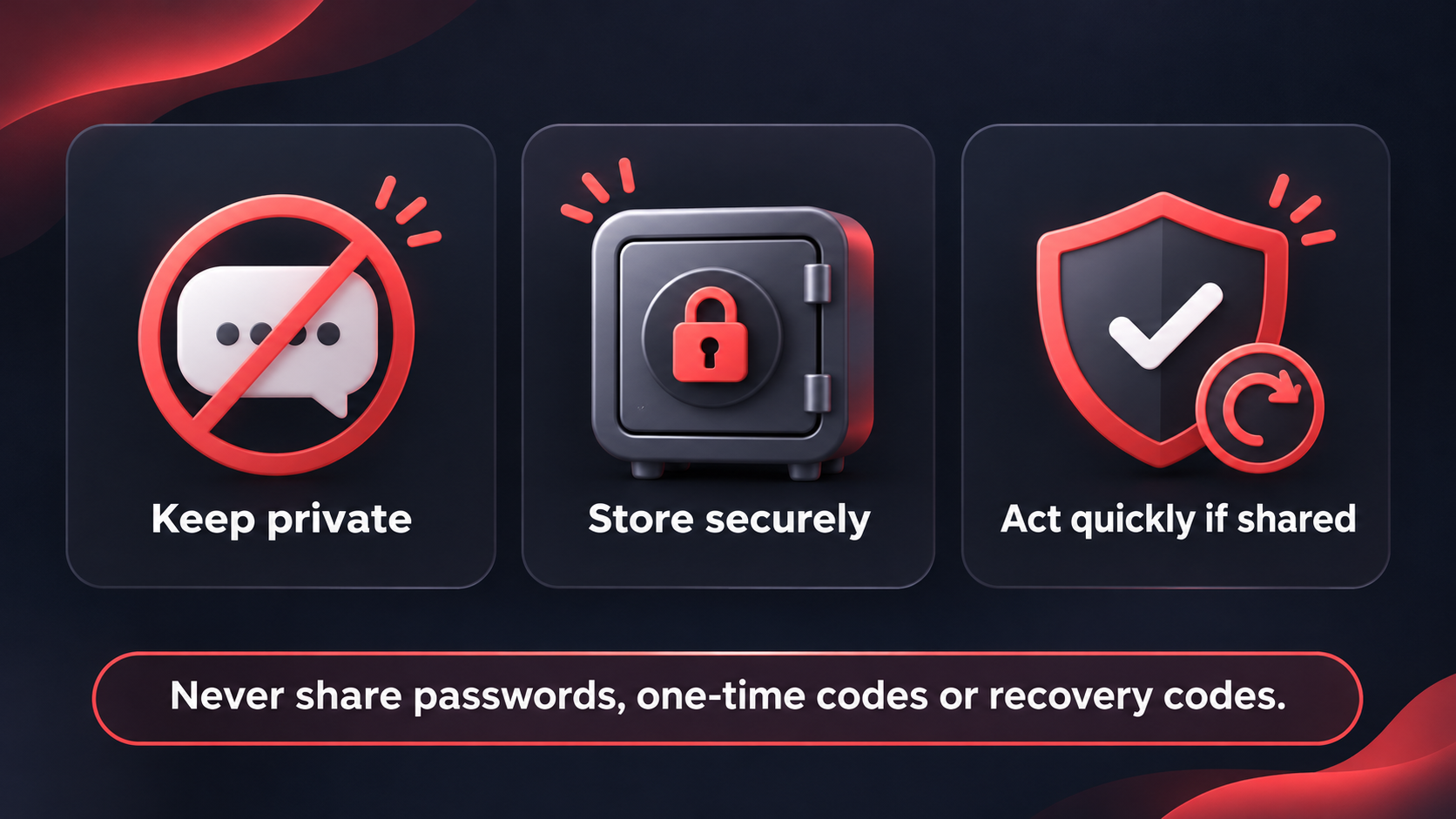
Three cards advise keeping codes private, storing recovery codes securely, and protecting an account promptly if a code is shared.

ابنِ روتيناً لرموز الأمان

بعض العادات البسيطة تجعل التعامل مع طلبات رموز الأمان أكثر سهولة:

  • ابدأ إجراءات الحساب فقط من موقع Deriv الإلكتروني أو التطبيق الرسمي.
  • استخدم المصادقة الثنائية (2FA) على حساب Deriv الخاص بك وعلى حساب البريد الإلكتروني المرتبط به.
  • اقرأ رسائل التحقق بعناية قبل اتخاذ أي إجراء.
  • احتفظ برموز الاسترداد في مكان محمي قبل أن تحتاج إليها.
  • لا توافق أبداً على رمز أو تدخله لإجراء لم تبدأه بنفسك.
  • تعامل مع أي طلب لمشاركة رمز كسبب للتوقف والتحقق بشكل مستقل.

اتخذ الخطوة التالية

راجع مكان تخزين رموز الاسترداد وتأكد من تفعيل المصادقة الثنائية (2FA) على حساب Deriv والبريد الإلكتروني المرتبط به. إذا تلقيت رمزاً لإجراء لم تبدأه، فلا تدخله أو تشاركه؛ افتح Deriv مباشرة وراجع إعدادات الأمان الخاصة بك.

اختبار

متى يجب عليك إدخال رمز الأمان؟

?
عندما تبدأ إجراءً متوقعاً على الموقع الإلكتروني أو تطبيق Deriv الرسمي
?
عندما يطلبها منك شخص ما في رسالة مباشرة
?
عندما ترغب في مشاركة لقطة شاشة لحسابك
?

الأسئلة الشائعة

هل رمز الاستخدام لمرة واحدة هو نفسه كلمة المرور؟

لا. كلمة المرور بيانات اعتماد طويلة الأمد تنشئها وتستخدمها لتسجيل الدخول. أما رمز الاستخدام لمرة واحدة فهو مؤقت عادةً، ويساعد في التحقق من إجراء محدد. وكلاهما حساس ويجب أن يبقى سريًا.

لماذا يجب ألا أشارك رمزًا حتى لو كانت صلاحيته ستنتهي قريبًا؟

قصر مدة صلاحية الرمز لا يجعل مشاركته آمنة. فقد يظل الرمز صالحًا لفترة كافية تتيح لشخص ما إتمام تسجيل دخول غير مصرّح به، أو إعادة ضبط كلمة المرور، أو إجراء تغيير على الحساب. تعامل مع كل رمز على أنه سري إلى أن تنتهي صلاحيته أو تستخدمه أنت في العملية الرسمية.

هل يمكنني إرسال لقطة شاشة لرمز إلى الدعم؟

لا. لا ترسل أبدًا لقطة شاشة تُظهر كلمة مرور أو رمز OTP أو رمزًا من تطبيق المصادقة أو رمز استرداد أو رمز QR. إذا كنت بحاجة إلى مساعدة، فاشرح المشكلة عبر قناة رسمية دون الكشف عن بيانات الاعتماد الأمنية.

ماذا أفعل إذا فقدت تطبيق المصادقة؟

استخدم رموز الاسترداد المحفوظة لديك بشكل آمن إن كانت متاحة لتطبيق المصادقة. إذا تعذّرت عليك استعادة الوصول، فتواصل مع Deriv عبر الموقع الرسمي أو التطبيق الرسمي للحصول على إرشادات خاصة بحسابك. لا تشارك أي رموز لا تزال بحوزتك مع أي شخص آخر.

حلل الأسواق بواسطة رؤى مدعومة بالذكاء الاصطناعي

استكشف TradersView

انضم إلى أكثر من 3 ملايين متداول حول العالم