
First, you have to deposit funds into your Deriv Wallet. Second, you have to transfer those funds from your Deriv Wallet to your Deriv Exchange account to start trading.
This quick guide breaks down how money moves from your Deriv Wallet to the exchange, potential costs, and key safety checks.
How to fund your Deriv Exchange account
Follow these simple steps on your desktop:
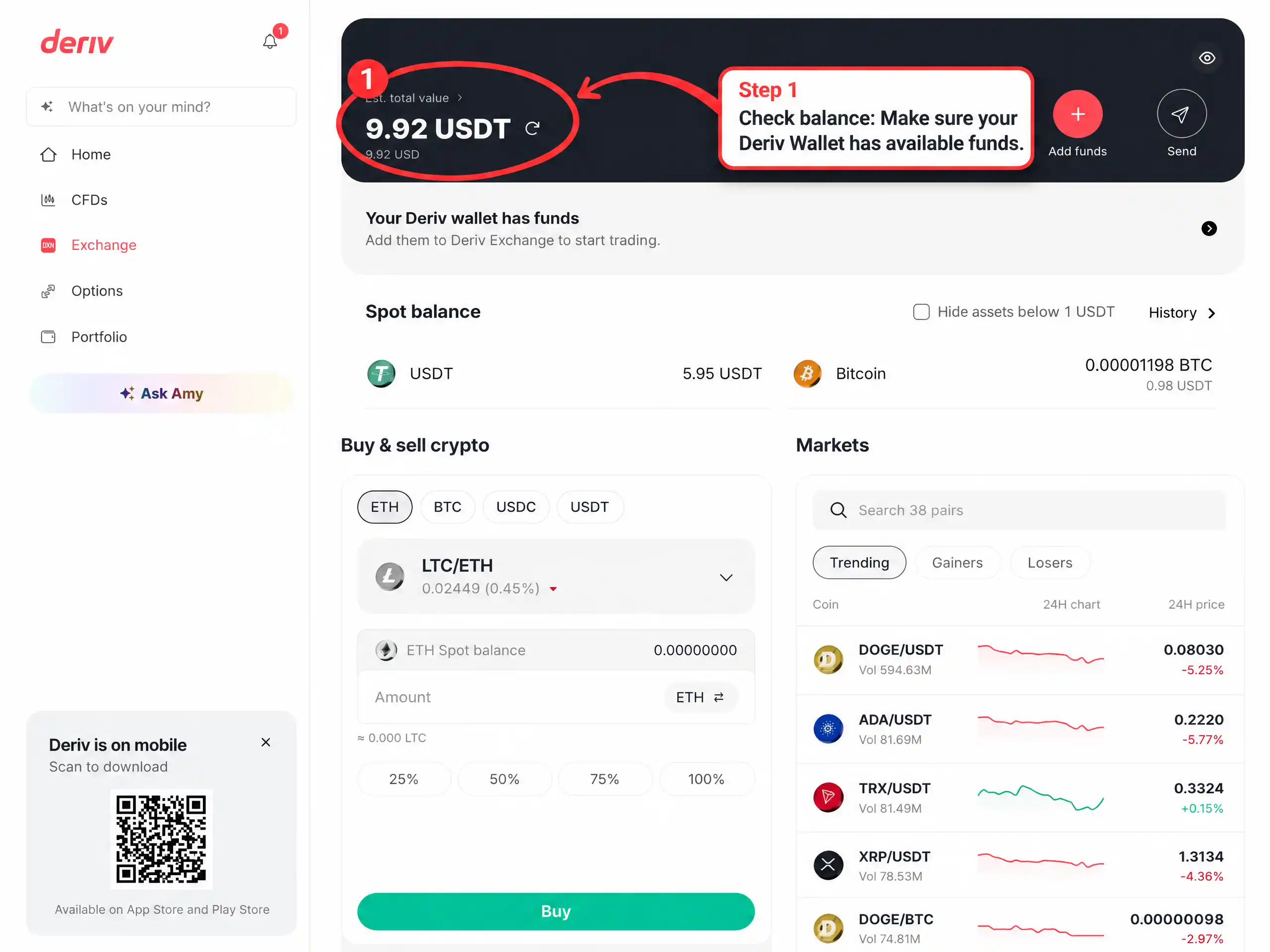
1. Check balance
Make sure your Deriv Wallet has available funds and tap Add funds.
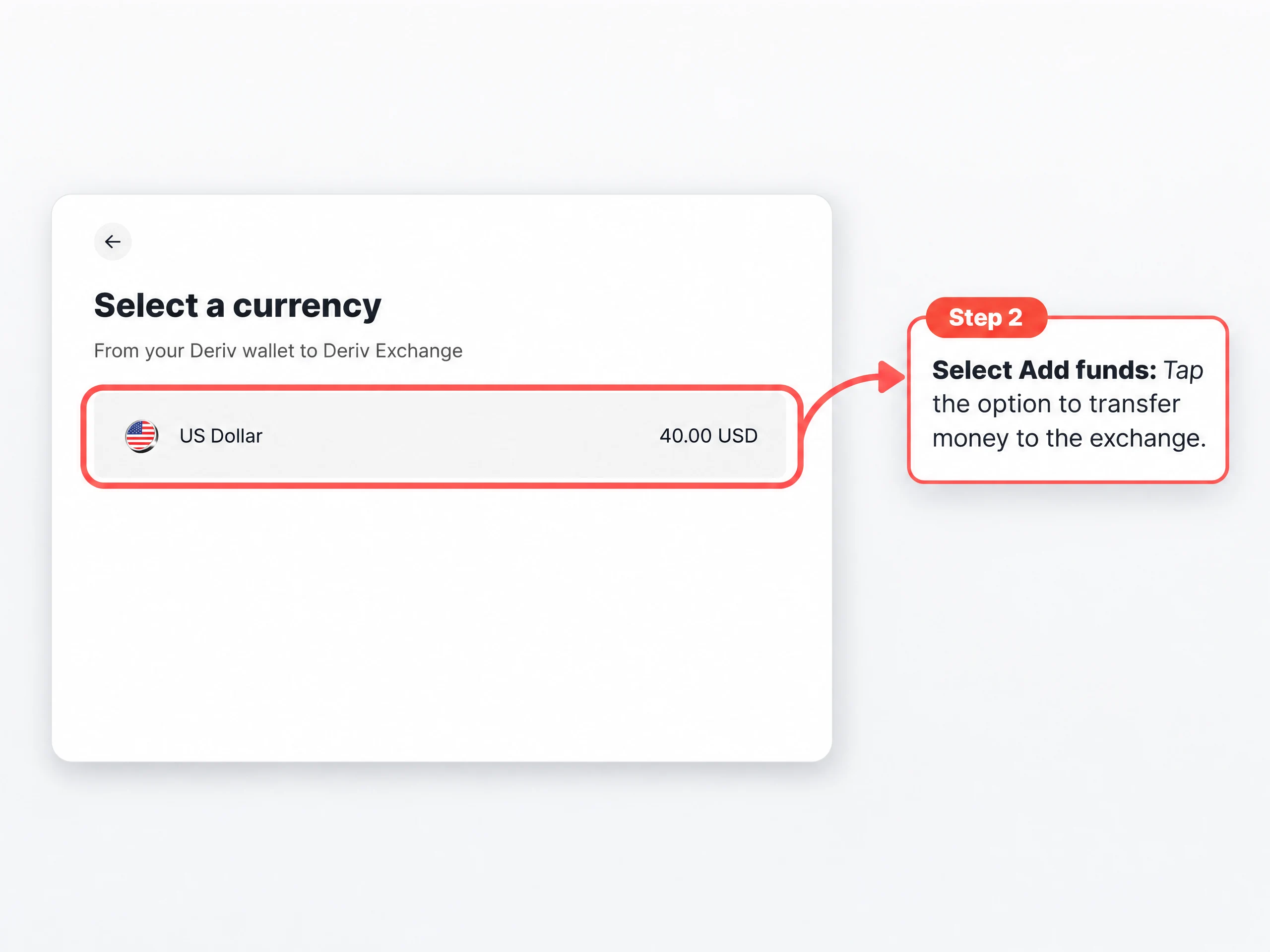
2. Choose currency
Pick USD from your Deriv Wallet.
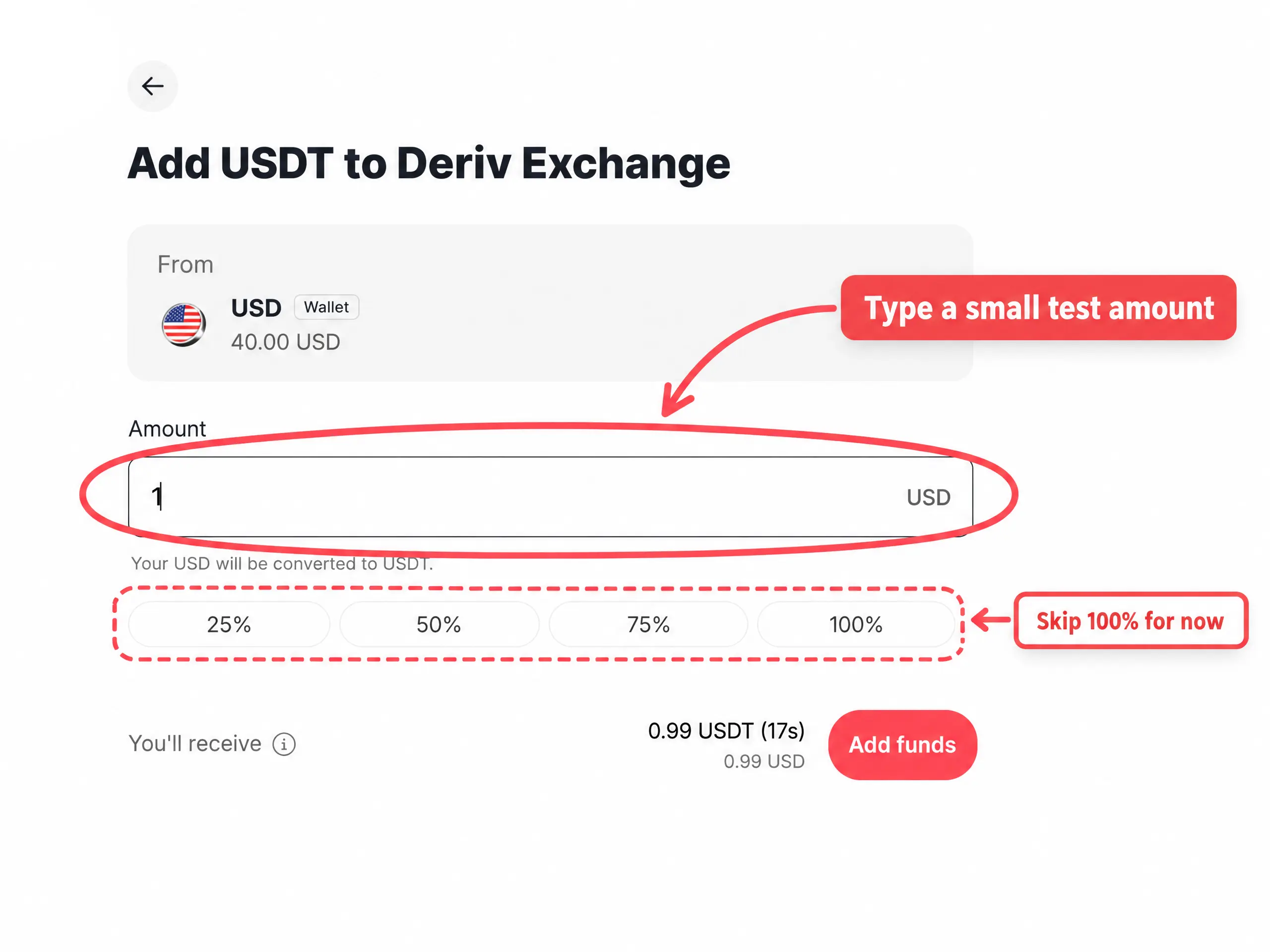
3. Enter amount
Start with a small test amount first.
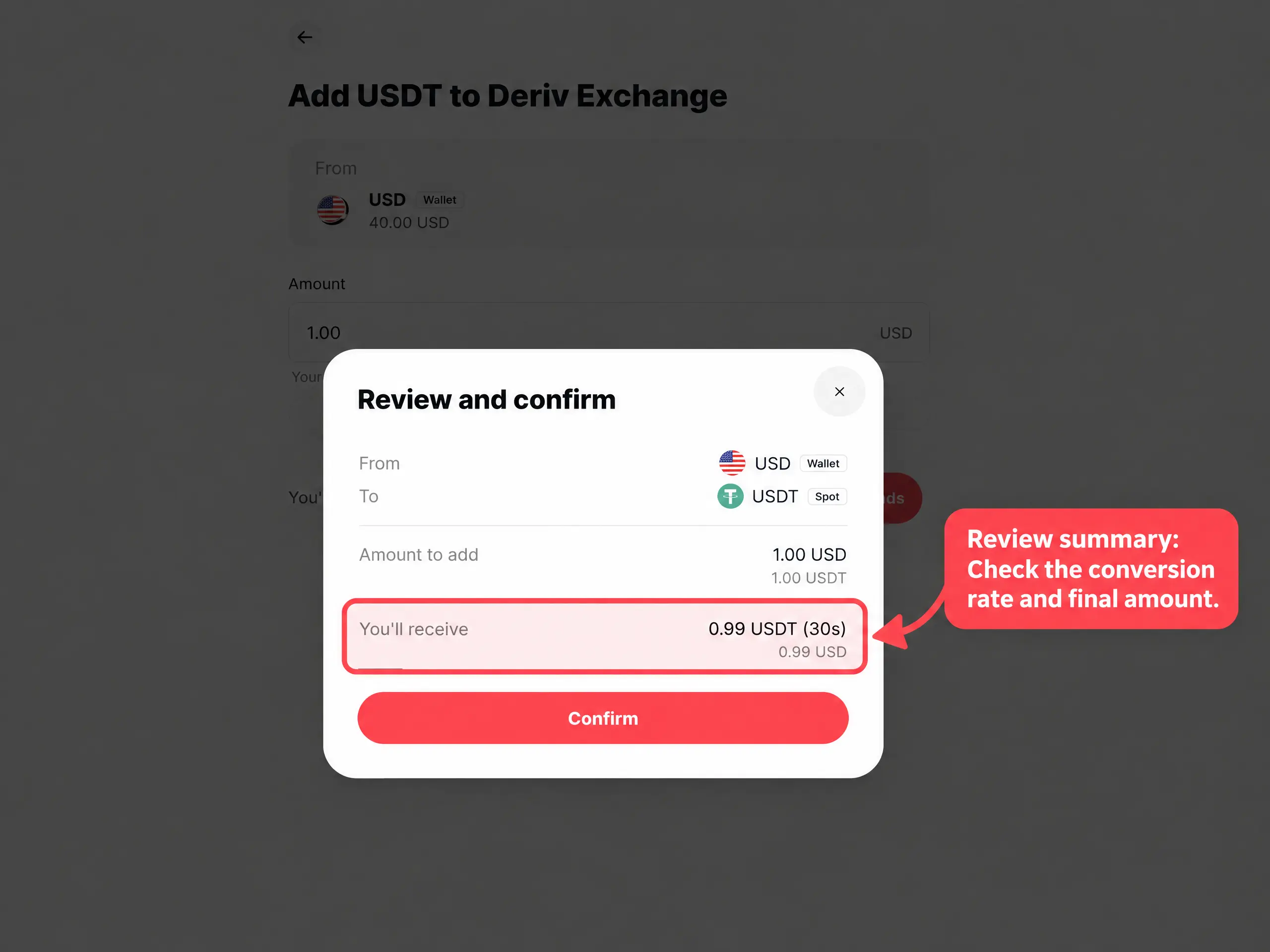
4. Review summary
Check the conversion rate and final amount, then confirm.
5. Verify
Check your exchange balance to start trading.
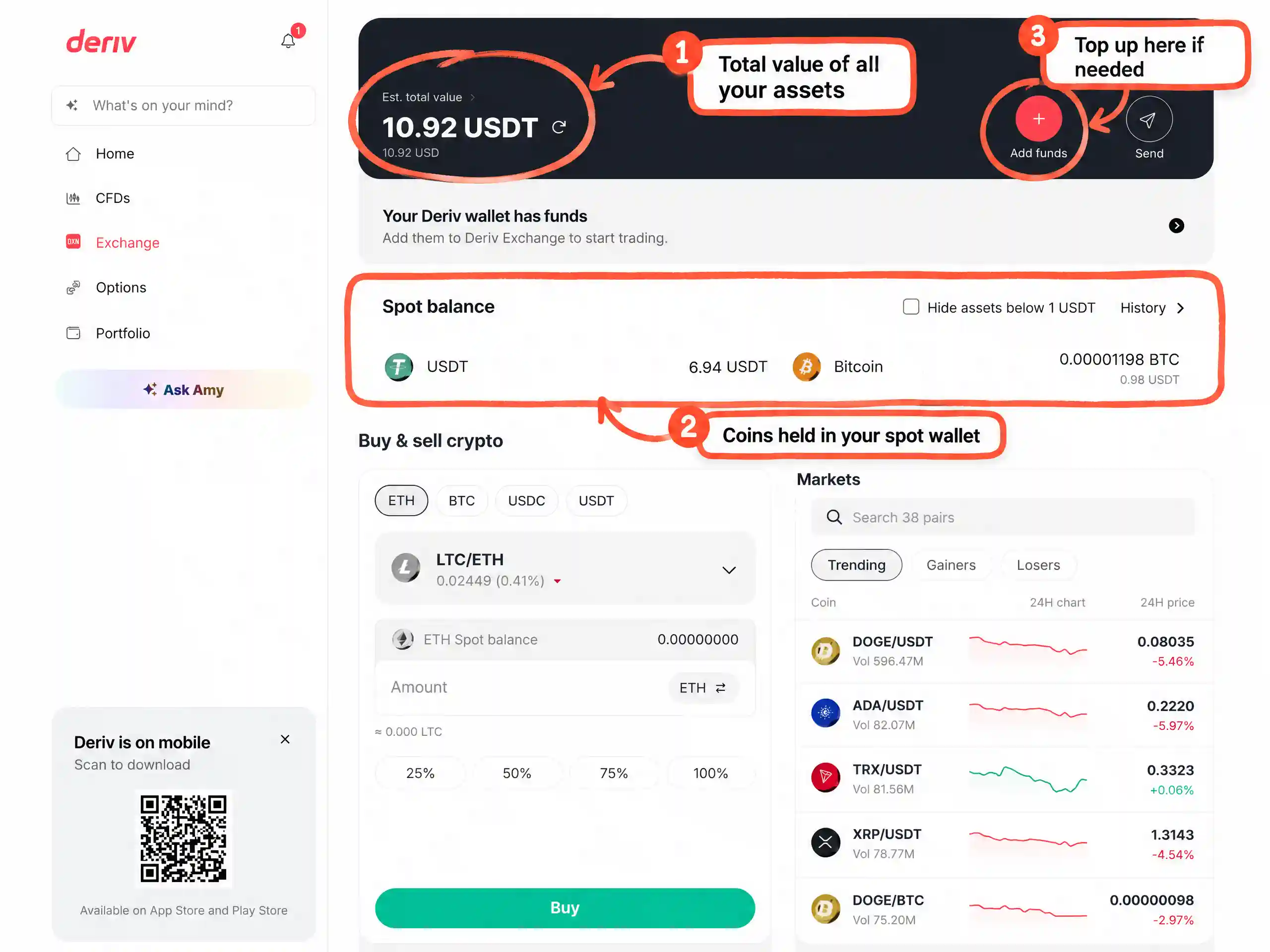
How money reaches the exchange
Money doesn't go straight from your bank to the trading screen. It happens in two simple stages:
1. Deposit to Deriv Wallet: Your primary hub for funds on Deriv.
2. Transfer to Exchange: Moves the funds so they are ready to trade.
Transfer vs withdrawal: A transfer shifts funds internally between your wallet and exchange. A withdrawal sends money out to your bank account or external wallet.
If your exchange balance looks empty, double-check your Deriv Wallet. It might still be waiting there!
Common mistakes to avoid
- Checking wrong balance: Remember to check both Deriv Wallet and Exchange balance.
- Skipping summary: Always read fees and conversion rates before confirming.
- Transferring large sums first: Always test with a small amount first.
- Phishing scams: Ignore suspicious messages asking to "unlock" or "verify" funds. Use official apps or links only.
Risk reminder
Transfers and conversions carry risks and fees. Crypto sent to an incorrect address or network cannot be recovered. Only trade with money you can afford to lose. This article is for educational purposes only and not financial advice.
Quiz
FAQs


