Deriv lets you hold up to five MT5 Standard accounts at the same time. An MT5 Standard account is a trading account MT5 Standard accounts that gives you access to markets such as forex, stocks, stock indices, commodities, cryptocurrencies, ETFs, and derived indices on the MetaTrader 5 platform MetaTrader 5 platform.
Using more than one MT5 Standard account can help you organise your trading by strategy, market, or goal. Each account can also be renamed, making it easier to recognise on your Deriv dashboard.
Why use more than one MT5 Standard account?
Multiple MT5 Standard accounts are mainly useful for organisation. They do not improve trading performance or reduce trading risk by themselves.
However, they can help if your trading setup has become harder to manage. For example, you may want one account for forex trades and another for cryptocurrency trades, or one account for your usual strategy and another for testing a new approach.
Keep different trading strategies separate trading strategies
If you’re testing a new strategy, trying a longer-term trading style, or trading a different asset class, keeping everything in one account can make your results harder to review.
A separate MT5 Standard account gives each strategy its own trading history. This can help you compare results more clearly without mixing unrelated trades.
For example, you might use one account for regular forex trades and another for testing a slower, longer-term strategy.
Organise account details more clearly
Some traders use separate accounts to organise risk exposure. For example, you may want to keep your main account for steadier trading activity and use another account for higher-risk experiments.
Splitting funds across accounts can make it easier to see how much you have allocated to each part of your trading. This does not remove trading risk, but it can help you keep your setup more structured.
Organise accounts by market
You can use separate accounts for different markets, such as forex, stock indices, or cryptocurrencies. You can also organise accounts by purpose, such as short-term trades, longer-term trades, or practice setups.
This is not required, but it can make your dashboard easier to manage if you trade across different markets or use different approaches.
Rename accounts for easier tracking
Renaming your accounts makes them easier to tell apart on your dashboard. For example, you might use names such as:
- Forex practice
- Long-term trades
- Crypto setup
- Index strategy
Account names are for display only. They help you recognise each account, but they do not change your account login ID. If you contact support, you will need to provide the account login ID, not just the display name.
Before you open another MT5 Standard account
Before adding another account, check whether it will make your trading easier to manage. More accounts can create structure, but they can also add unnecessary complexity if you do not have a clear reason for using them.
There is no right number of accounts to have. The right setup is the one that matches how you trade.
How to open a new MT5 Standard account
You can open another MT5 Standard account from your Deriv dashboard, as long as you have not reached the five-account limit.
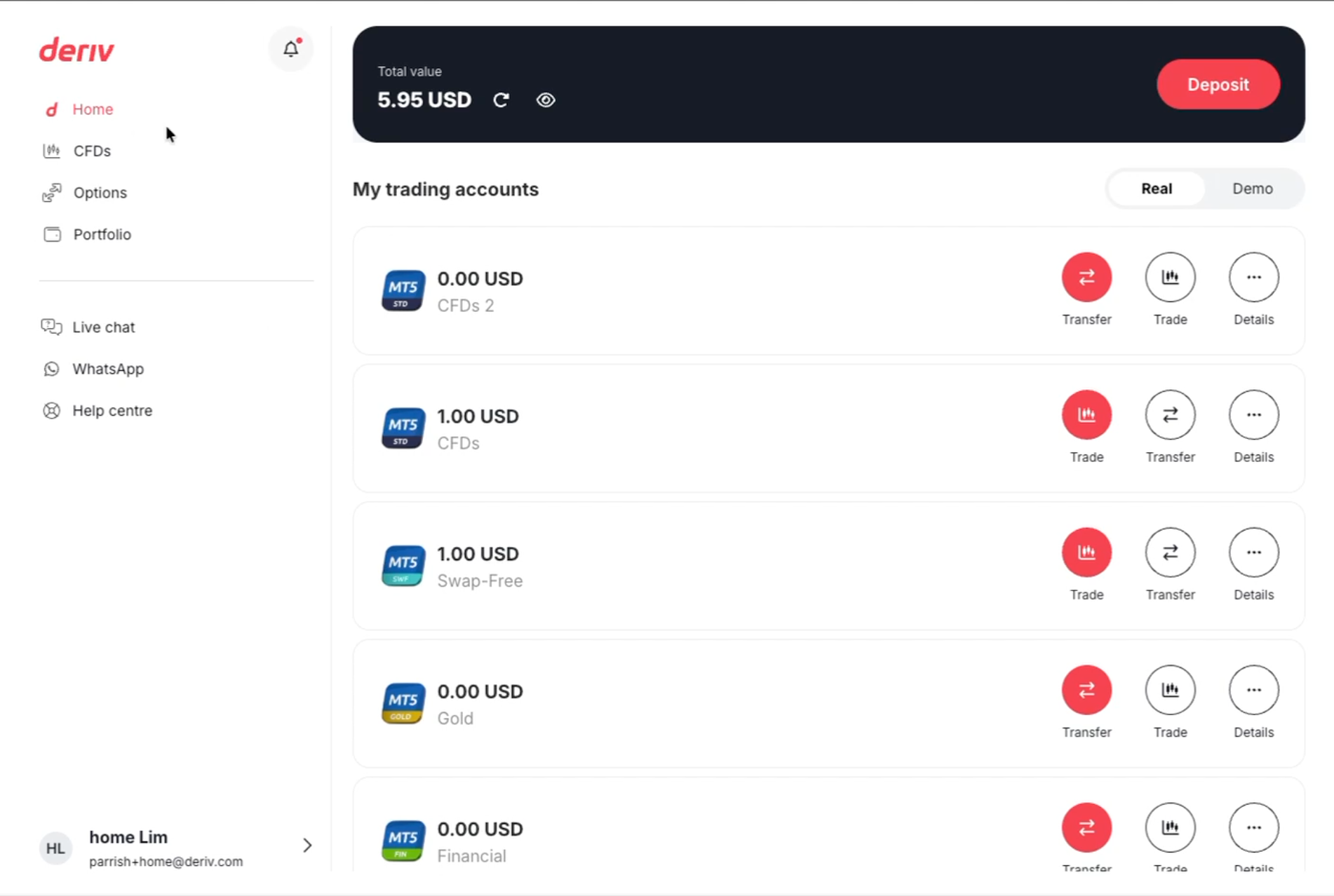
Step 1: Go to Deriv Home
From the side menu, go to Home.
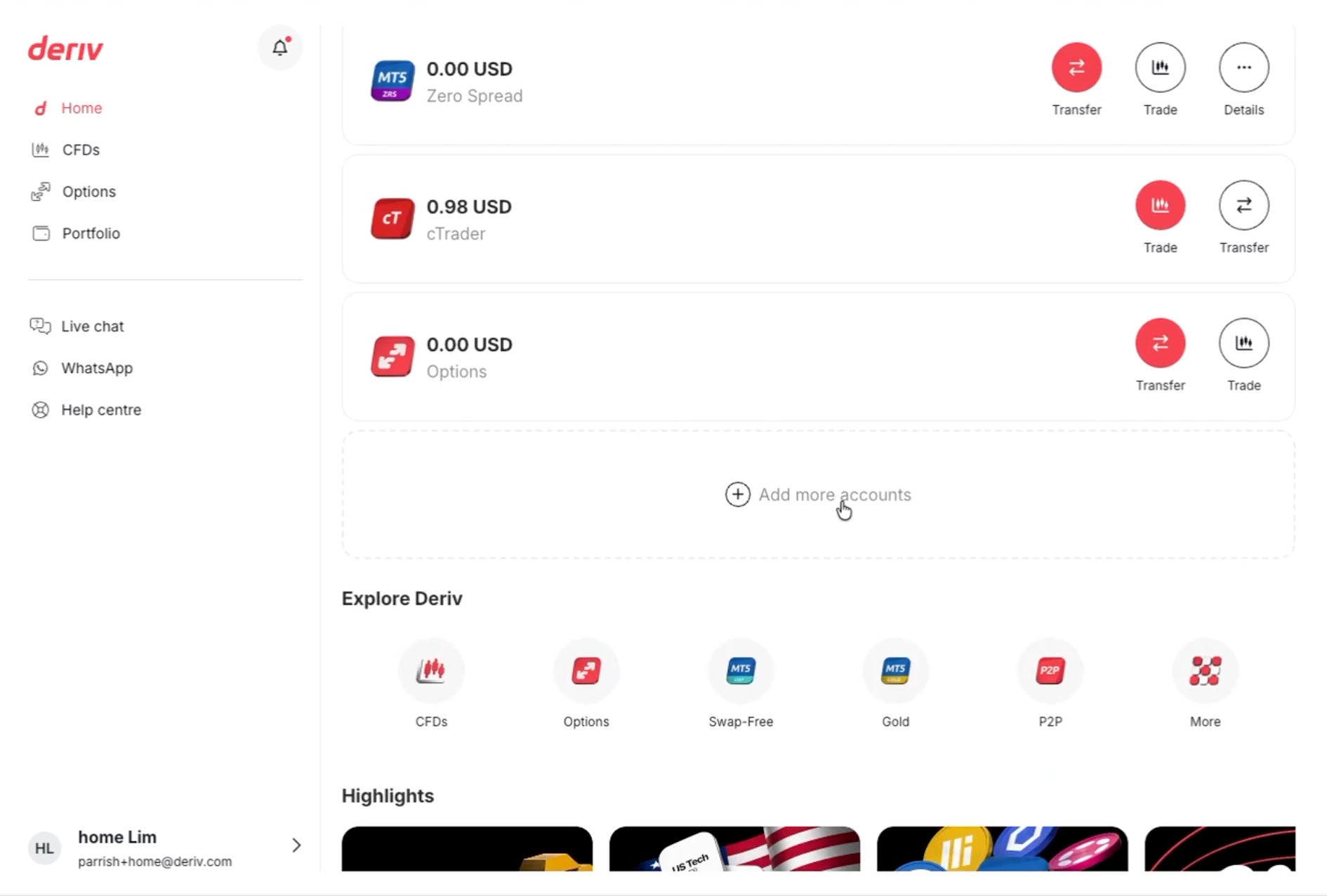
Step 2: Select Add more accounts
Scroll down past your existing accounts until you see Add more accounts, then click it.
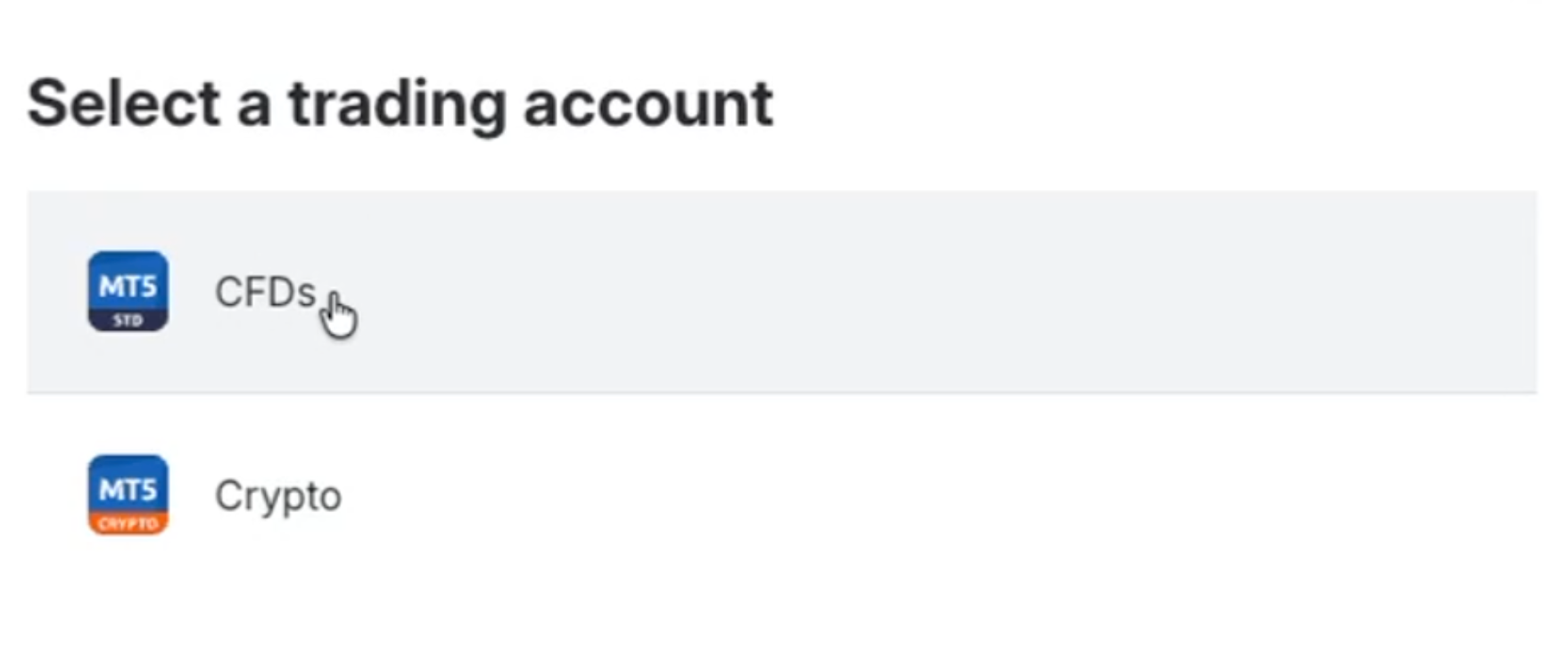
Step 3: Choose CFDs
In the Select a trading account window, click CFDs.
In this flow, the MT5 Standard option appears under CFDs. This refers to the same account type you already use.
Step 4: Activate the real account
On the CFDs page, click Activate real account.
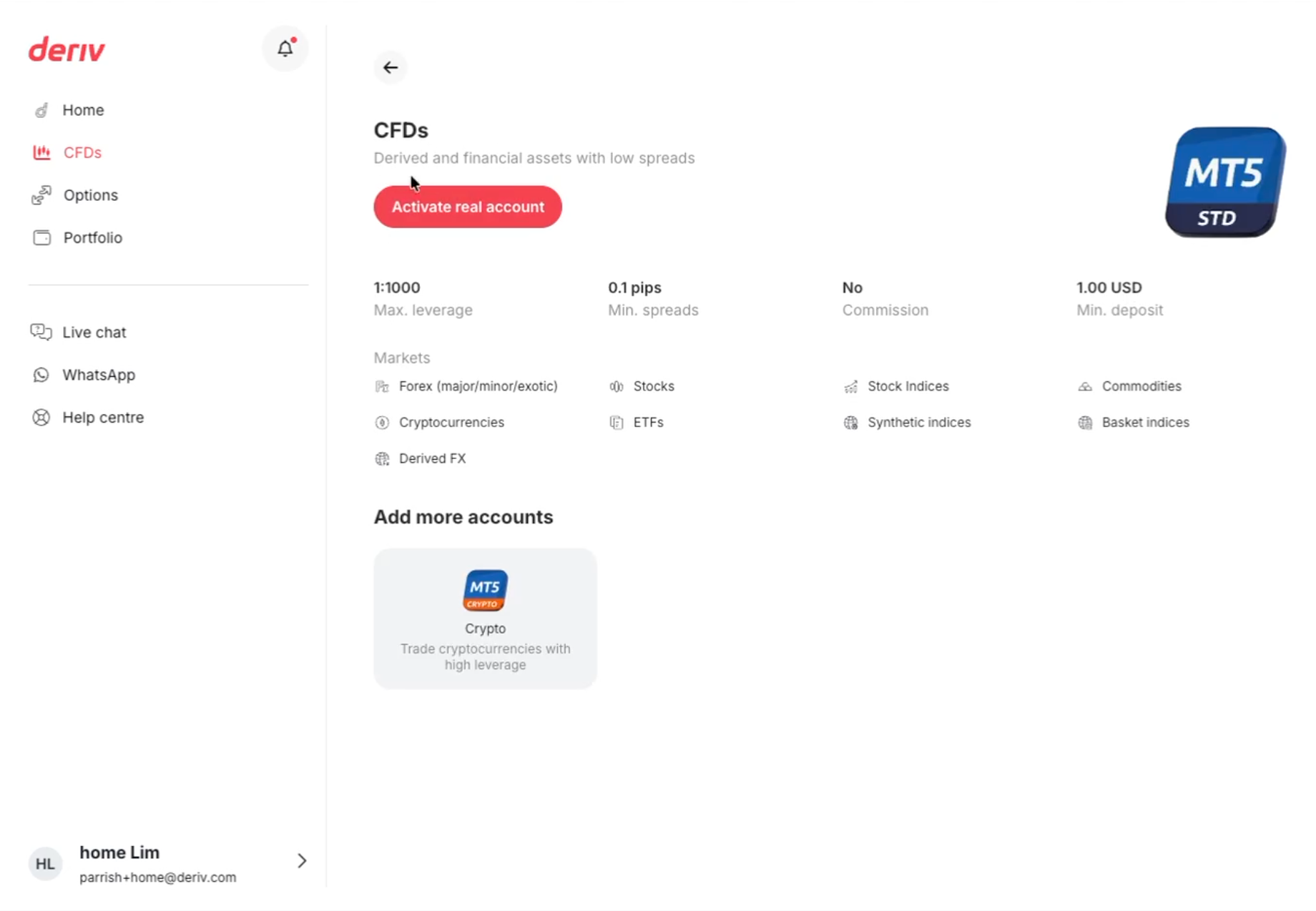
Step 5: Confirm the new account
Once your new account appears, click the add icon at the top right of the page, next to the eye icon, to confirm that setup is complete.
Your new account is now ready. By default, it may be named something like CFDs 2 or CFDs 3, but you can rename it whenever you like.
How to rename your MT5 Standard account
You can rename any MT5 Standard account, whether it is new or one you have already been using.
Step 1: Open the account details
From the Home page, find the account you want to rename and click Details, shown as the three-dot icon on the account card.
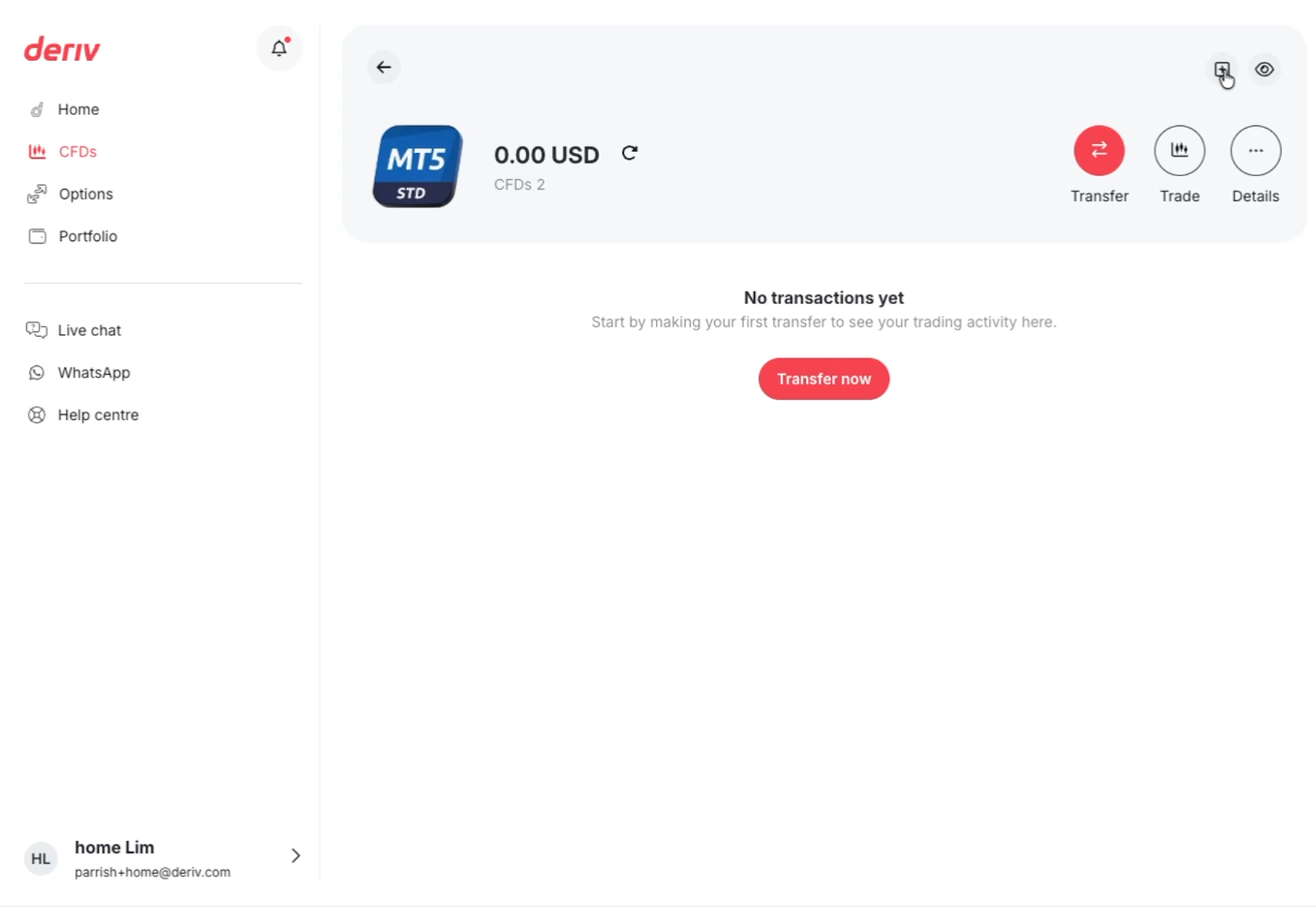
Step 2: Click the pencil icon
In the Account details popup, click the pencil icon next to the account name.
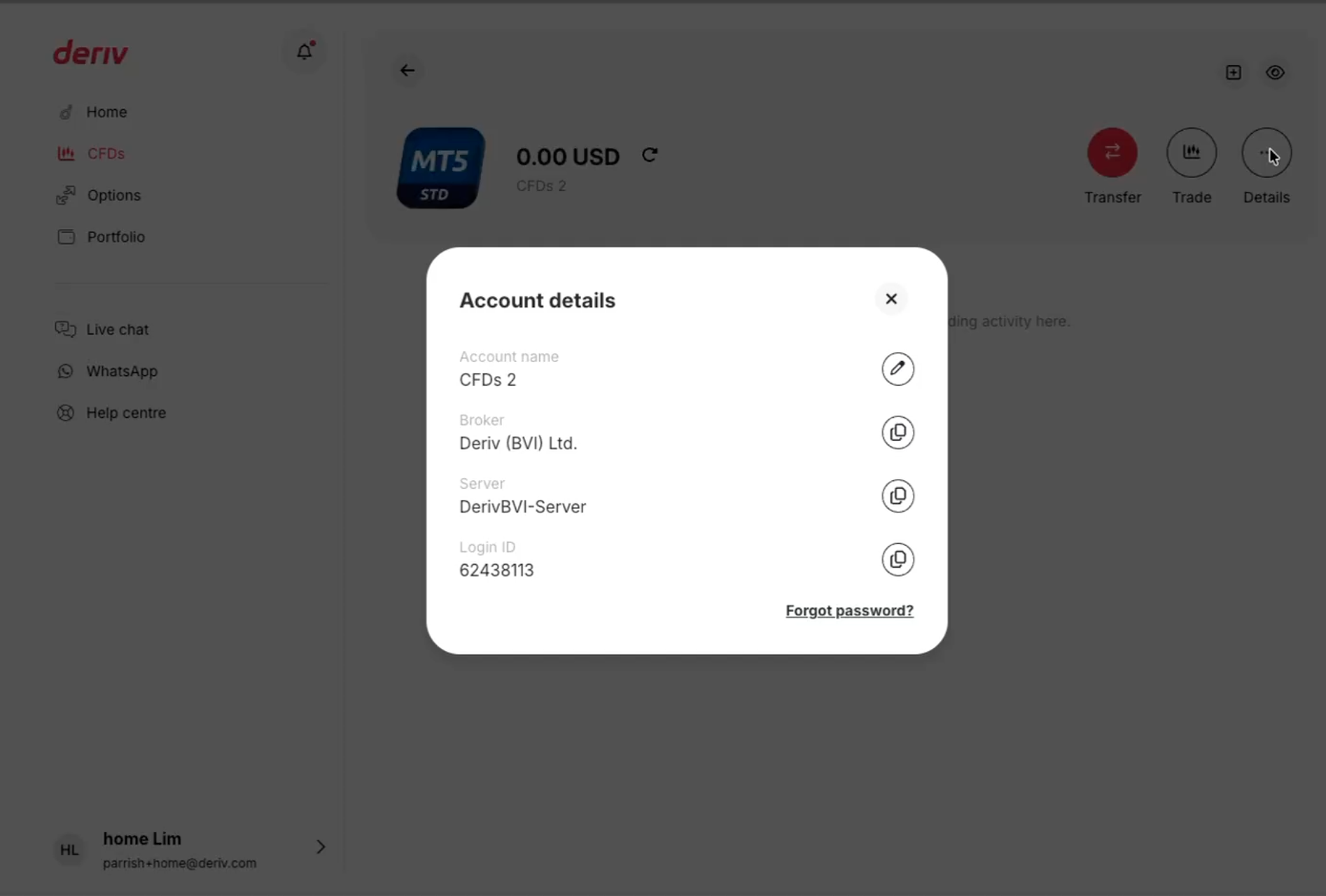
Step 3: Enter the new account details
In the Edit account name window, type your new name. Account names can be up to 16 characters.
Click Update.
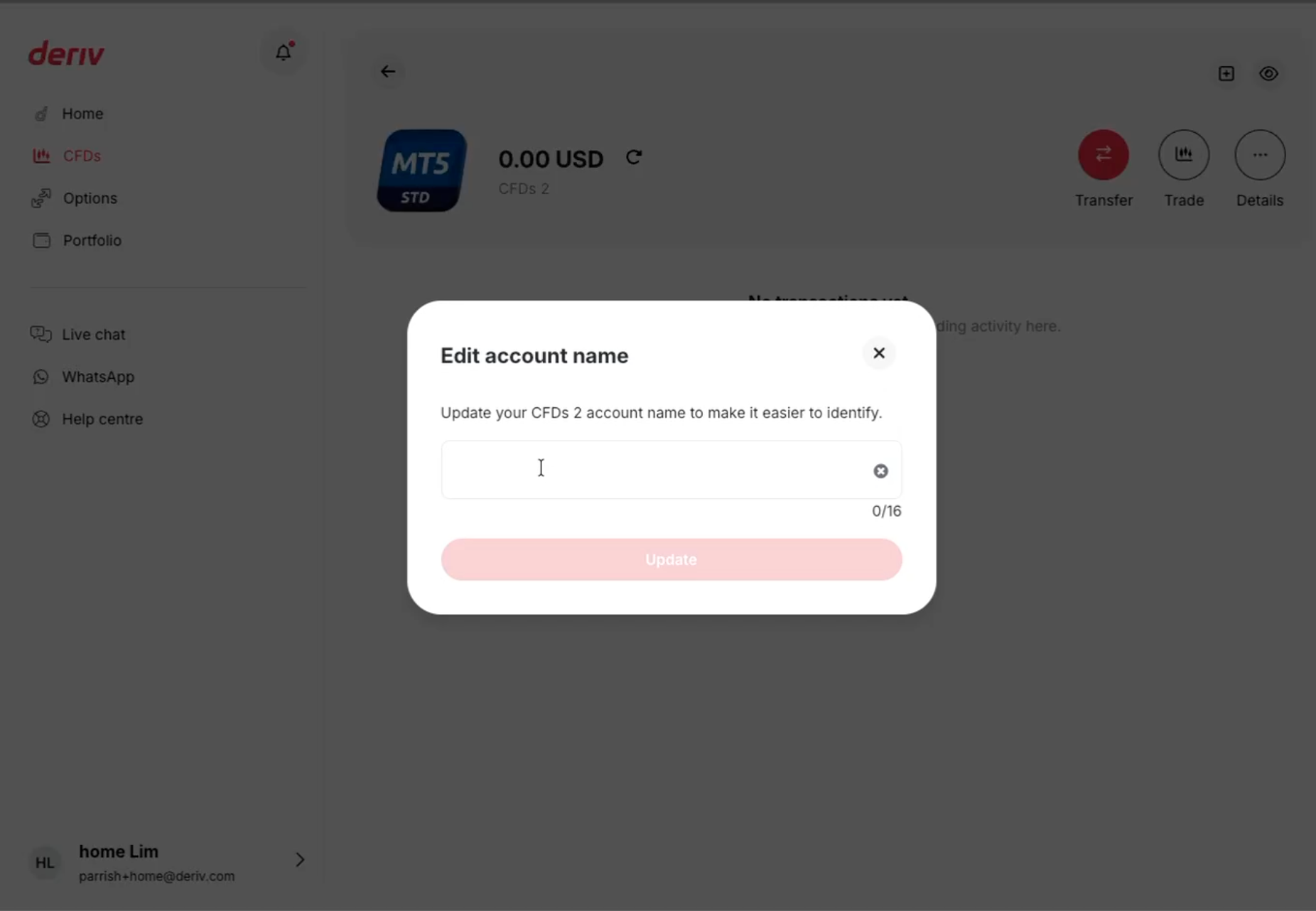
Your new account name will appear on your dashboard right away.
Things to remember
You can hold up to five MT5 Standard accounts at any time. If you already have five and want to open another, you will need to close one first.
Account names are for display only. They help you recognise each account on your dashboard, but they do not change your account login ID. You can find the login ID under Details, and this is the number you will need if you contact support.
If you cannot complete a step or something does not look right, use the Deriv Help centre or live chat for support.
Cuestionario
Up to how many MT5 Standard accounts can a user hold?
Preguntas frecuentes


.png)